Overview
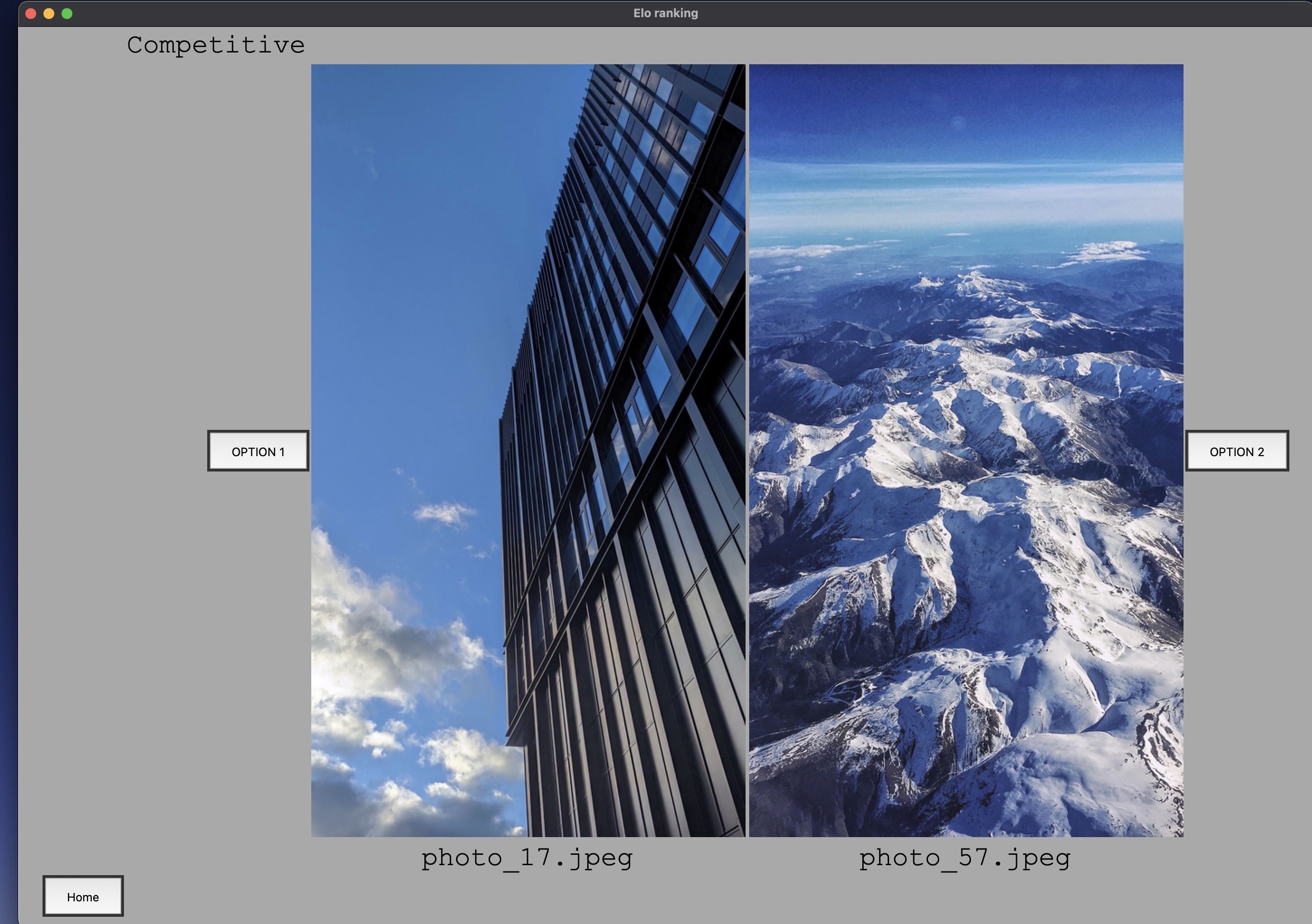
Elo Ranking is a Python project that showcases the Elo rating system — commonly used in chess — applied to the context of comparing photos. Rather than ranking players in a game, this tool ranks images by presenting them head-to-head and having the user choose a winner.
The Elo system is designed to compare two items and adjust their ratings based on how likely each was to win. All items start with the same rating (1500). An item with 400 Elo more than its opponent is approximately 10× more likely to win — so upsets yield larger rating swings than expected victories.
Approach & Architecture
The application is split across three pages, each with a distinct purpose:
Start Page — Photo Comparison
Two photo items are displayed in the GUI with labels (derived from their filenames) and a button on each side. The user clicks the winner; the ratings are updated and a new pair is displayed. The chooseCompetitors function drives semi-random rank-based matchmaking:
- It checks that
item1(the left photo) is different from last time, so the same pair is never repeated consecutively. - To select
item2, it randomly picks 3 candidates (all different fromitem1) and chooses whichever has the closest Elo rating. The number of candidates checked (configurable viaoptions) controls how strict the matchmaking is — it must always be less than the total population.
This produces a fair-play structure where similarly ranked photos compete, while still allowing enough randomness to generate varied comparisons across the whole collection.
Settings Page
- Save button — serialises all photo item objects to
db.jsonin the current directory - Display top 5 rated — sorts the population by current rating and shows the five highest-ranked photos
- Individual item rank history — user selects a photo by name; the photo is displayed alongside its current rating and a Matplotlib line chart of its rating history
Dev Page
- Simulate — a textbox and button that runs up to 100 random comparisons automatically, updating ratings as normal
- Full graph — a slider that plots rating history charts for the top N photos on one overlaid graph
- Full reset — clears
db.jsonand all in-memory state - History — outputs to terminal the most frequently compared photo item
Development & Learning
The three modules that power the core functionality:
GUIZERO — a tkinter-based library used for all GUI elements. It handles photo display, the menu system between pages, dropdown selectors, sliders, and buttons. GUIZERO’s simplified API made it practical to build multiple pages without deep tkinter boilerplate.
Matplotlib — used for the rating history line charts on both the Settings page (individual photo history) and the Dev page (overlaid group chart). Each comparison appends the new rating to a history list stored on the photo item object.
JSON — photo item objects are serialised and written to db.json on save. On load, the file is read back and deserialised into the same object structure, restoring all ratings and histories exactly as they were left.
Credit: Matt Tansey — help with a rating history list bug fix.
Note: all photos used in the project were taken by the developer.