Overview
Sign Language Translator is a Python project that uses a sign language bank alongside a GUI to allow users to learn BSL (British Sign Language) via GIFs showcasing each action. The project includes an online user profile system and an adaptive learning algorithm designed for better learning efficiency.
BSL is a visual language used by the deaf and hard of hearing as a primary form of communication. The program covers BSL phrases and actions, each represented as a GIF that demonstrates the signing in motion.
Approach & Architecture
The application is built around four core features:
Sign Language GIFs BSL signings are stored and displayed as GIFs. The pytube library accesses a playlist of BSL signings from YouTube and converts them to locally stored GIFs on first access — subsequent lookups use the cached file for efficiency.
User Profile System A User class stores the user’s name, username, hashed password, date joined, email, and custom learning path. This data is serialised and stored in Google Sheets via gspread, allowing multiple users to log in without needing a local profile database. Passwords are hashed with hashlib before storage. Email verification via smtplib is required on sign-up — a verification code is sent that the user must enter to proceed, and it also ensures no two accounts share the same email.
Tailored Consolidation (Adaptive Learning) The user attempts to answer a question and is then shown the correct answer. They self-report whether they got it right or wrong, which updates a consolidation list stored in their profile. Phrases answered incorrectly appear more frequently; phrases consistently answered correctly are retired and replaced with new ones to learn.
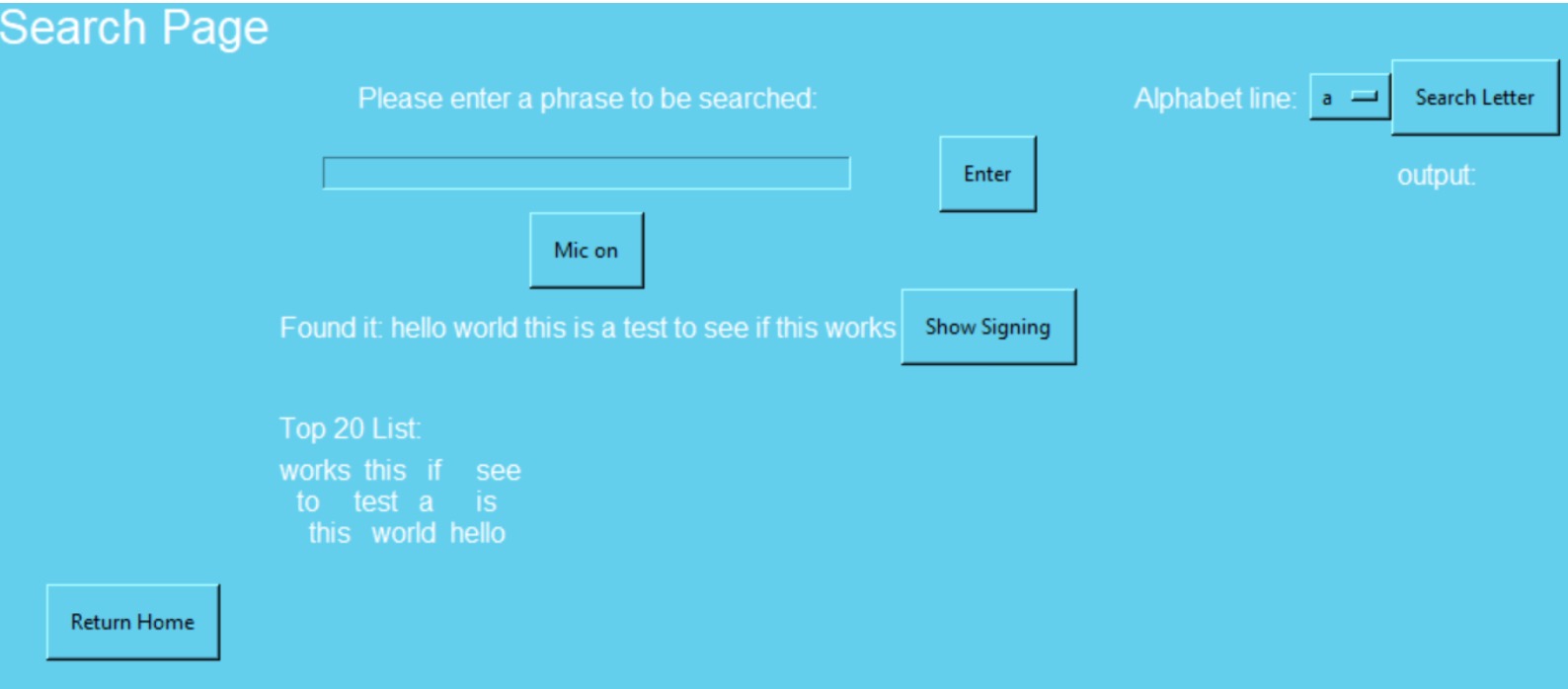
Custom Search Structure Some signings are phrases rather than single words (e.g. “good morning”). BSL has signings for both the phrase and the individual words. The program locates the most efficient signing for what the user is searching. For names or words with no direct signing, the program outputs the letter-by-letter signing combination instead. Fuzzywuzzy provides fuzzy text matching — a tolerant autocorrect that finds the closest match in the word bank.
Development & Learning
The GUI is built with GUIZERO (a tkinter-based library), displaying GIFs and menu navigation. Speech input is supported via the speech_recognition library, which captures mic audio and sends it to Google’s speech API, returning a text string that is entered into the search field.
Key modules integrated:
- gspread — Google Sheets API access for user profile storage and retrieval
- pytube — YouTube playlist access to download and cache BSL signing GIFs locally
- speech_recognition — Mic-to-text via Google Speech API
- fuzzywuzzy — Fuzzy string matching for tolerant search against the word bank
- hashlib — One-way password hashing before storage
- smtplib — Email verification on account creation
- JSON — Local caching of GIF metadata and progress state
Credit: Dan St Gallay (danstg1) — help building the initial signing database.