Overview
This project represents the first project I would consider a complete game in my game development journey. It was made following a tutorial on Udemy using assets provided by the online course. The game is a small top-down car game — drive around the map collecting pizzas and delivering them to a customer.
Approach & Architecture
The game is built in Unity 2022.3.34f1 with C# scripting, using Unity’s physics system for all interactions.
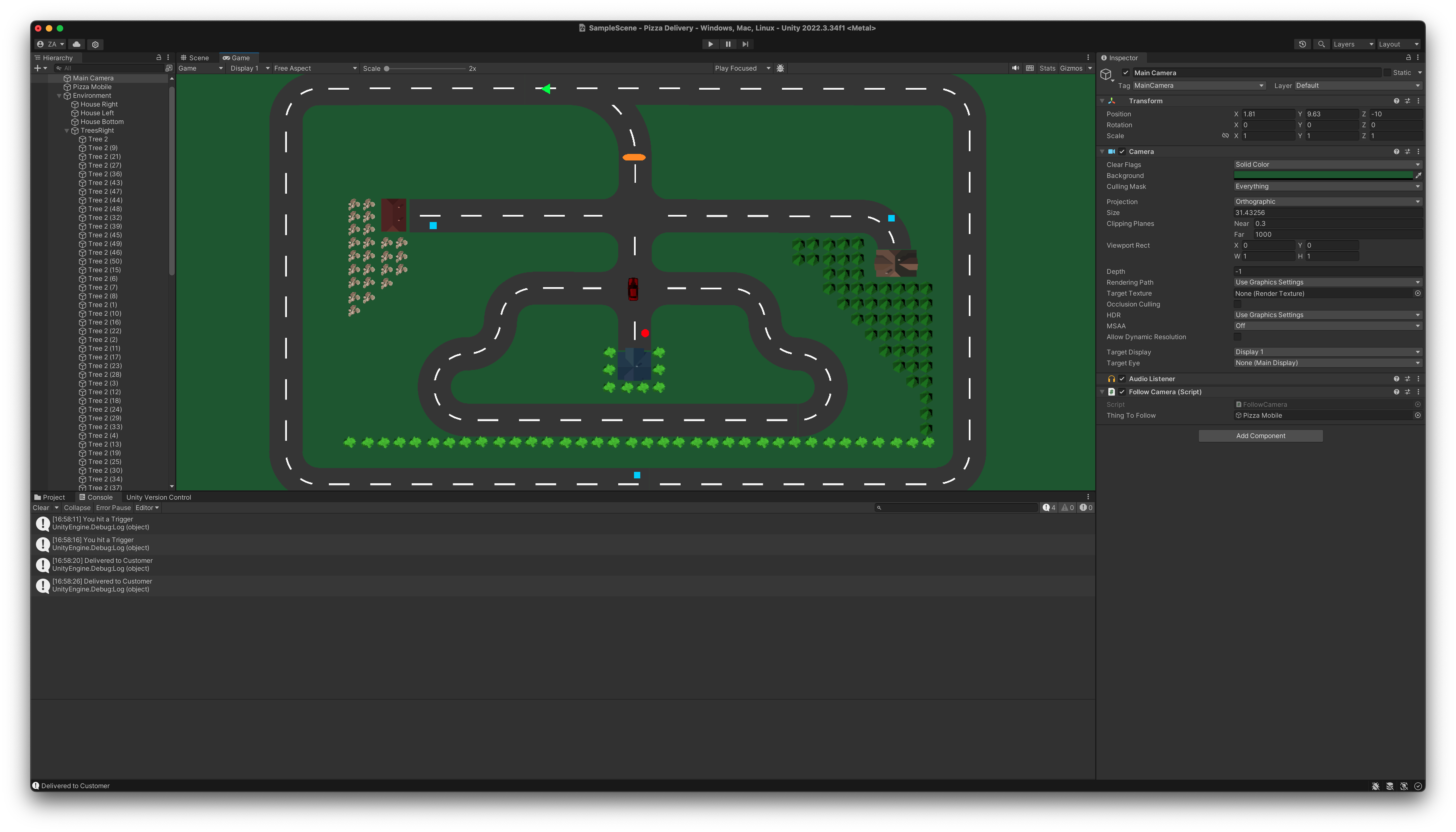
Game elements:
- Blue boxes — pizzas to pick up by driving into them (trigger collider)
- Red circle — the person to deliver the pizza to (trigger collider)
- Orange ellipse — a speed bump that slows the car on contact; the car continues at reduced speed until it hits a solid object (e.g. a house)
- Green triangle — a speed boost that increases the car’s speed on contact
- Car colour — shaded red when empty, changes to blue once a pizza has been picked up
All interactions use colliders set to trigger mode, meaning they detect overlap without creating a physical collision response. There are currently 3 pizza boxes in the game; once all have been collected and delivered, the game is complete.
Development & Learning
This project introduced me to the core fundamentals of the Unity engine through a structured Udemy course with supplied assets.
Working through the project covered:
- Using variables and if statements to control game logic (tracking cargo state, toggling car colour, checking win condition)
- Setting colliders as triggers to detect item pickup and delivery without blocking movement
- Understanding Unity’s component model — attaching scripts, renderers, and Rigidbody2D to GameObjects
- Referencing other GameObjects and their components from within C# scripts
- Using
[SerializeField]to expose configurable values to the Unity Inspector for easy tuning